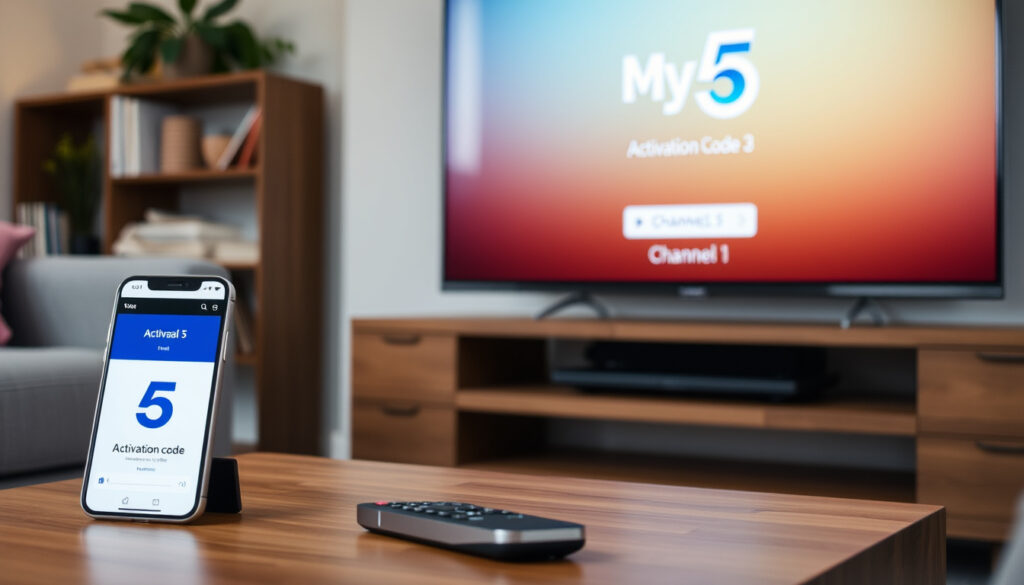
Channel 5.com/activate Guide: How to Activate My5 on TV
You sit down to catch the latest episode of your favorite Channel 5 show, open the 5 app on your TV, and a code pops up. That 6-digit activation code is the only thing standing between you and thousands of hours of free streaming.
Official activation URL: activate.channel5.com ·
Registration: Free account required ·
Activation method: 6-digit pin displayed on TV ·
Supported devices: Smart TVs, streaming devices, computers, mobile ·
Help article: How to sign-in to the 5 app on a TV/streaming device
Quick snapshot
- Open the 5 app on your TV or streaming device – a 6-digit code appears. (Channel 5 Help Centre (official support))
- On a computer or mobile, go to activate.channel5.com (activation portal) and sign in or register.
- Enter the 6-digit code from your TV screen and click Activate. (Channel 5 Help Centre (registration guide))
- Your TV refreshes and you’re in – start watching live and on-demand programmes. (Channel 5 Help Centre)
Here are the key facts at a glance.
| Item | Value |
|---|---|
| Official Activation Site | activate.channel5.com |
| Registration Required | Yes (free) |
| Activation Code Format | 6-digit pin |
| Supported Platforms | Smart TVs, streaming sticks, game consoles, mobile, web |
| Help Center | help.channel5.com |
How do I activate Channel 5 on my TV?
Activating Channel 5 on your television takes about one minute and requires no tools or cables – just your TV remote and a phone or computer. The entire process is built around a temporary code that your TV generates inside the 5 app.
If you follow the code-and-activate flow exactly, you’ll be watching Neighbours or The Yorkshire Vet in under two minutes – but skipping the registration step is the single most common reason people get stuck.
What is the activation code?
When you open the 5 app on a TV or streaming device, the screen displays a unique six-digit code. That code is a temporary key that pairs your device with your 5 account. According to the Channel 5 Help Centre (official support), “a new code will appear that you must enter on our website as soon as possible.” The code expires after a short time, so don’t let the TV sit idle while you search for the activation site.
Where do I enter the code?
The code must be entered at activate.channel5.com (the dedicated activation portal), which is different from the main Channel 5 website. You can open this URL on a computer, tablet, or smartphone.
Go to https://activate.channel5.com/ on a computer or mobile device (this is a different site to the main 5 website).
How to connect My5 to my TV
- On your TV, launch the 5 app and select “Sign In or Create Account.” The app will show a six-digit code.
- On your other device, go to activate.channel5.com (activation portal).
- Sign in to your 5 account, or register for a free account if you don’t have one.
- Enter the six-digit code exactly as shown and click Activate. The TV screen will refresh and you’ll be signed in. (Channel 5 Help Centre (registration guide))
Bottom line: The activation code is a one-time, short-lived 6-digit string. Your TV shows it, you type it at activate.channel5.com, and the two devices are linked. New device owners: keep your phone handy. Ireland users: the process is identical – see the section below for content availability.
How to Register for a FREE 5 Account
To watch any Channel 5 content on a TV, streaming stick, or game console, you need a free 5 account. Registration takes about 90 seconds and asks for a few standard details.
The Channel 5 Help Centre (registration guide) lays out the exact fields: name, postcode, date of birth, email address, and a password.
Postcodes must be entered in all capitals with a space – for example AB1 2CD.
What do I need to register?
- A valid email address.
- A postal code (for UK and Ireland postcodes, use the all-caps format).
- Your date of birth (to check age restrictions for certain programmes).
- A password (at least 6 characters).
Where can I register?
You can sign up directly from the activation flow: after you open the 5 app on your TV and see the code, the on-screen prompt lets you create an account. Alternatively, you can pre-register on the main Channel 5 website at channel5.com/register (official site). The help centre also recommends scanning the QR code shown on the TV, which takes you to the same activation page. (Channel 5 Help Centre (registration guide))
Without a free account you can’t use the 5 app at all on a TV. The registration process is the same whether you live in the UK or Ireland – but you’ll need a valid postcode from either country.
The implication: skipping registration is the single biggest obstacle to watching Channel 5 on a TV.
How to sign-in to the 5 app on a TV/streaming device
Once you have an account, signing in on each new device follows the same pattern: code on TV, code entered at activate.channel5.com. The Channel 5 Help Centre (official support) says the process is identical for all supported devices, whether a Samsung Smart TV, an Amazon Fire Stick, or a PlayStation console.
Sign-in steps
- Open the 5 app on your TV or streaming device.
- Select “Sign In or Create Account.” A six-digit code appears.
- On a phone, tablet, or computer, go to activate.channel5.com (activation portal).
- Enter the email and password for your 5 account. If you haven’t registered, choose “Create Account” and fill in the details.
- Enter the six-digit code from your TV and click Activate.
- Your TV will refresh automatically and show the 5 home screen – you’re signed in.
Troubleshooting sign-in issues
- Password not working? Use the “Forgot password” link on the activation page. The help centre notes that the reset email may end up in your spam folder. (Channel 5 Help Centre (official support))
- Code expired? Go back to the 5 app on your TV – it should generate a fresh code. Enter the new code immediately.
- TV not refreshing after activation? The help centre recommends turning the TV off, unplugging it for a few minutes, then trying again. (Channel 5 Help Centre (official support))
- Forgot email used? Create a new account with a different email address – there is no limit on free accounts.
The pattern: the sign-in flow is device-agnostic. Every TV, stick, or console uses the same remote activation method. That means you only need to learn the process once.
How to watch Channel 5 in Ireland?
Good news for viewers in the Republic of Ireland: the 5 app is available on smart TVs and streaming devices south of the border. The activation process is exactly the same as in the UK. According to the Channel 5 Help Centre (official support), the app can be downloaded on supported devices in Ireland, and you use the same activate.channel5.com portal to pair your TV.
However, some programmes – particularly those with strict regional licensing – may be geo-blocked. The official help centre advises checking the programme’s availability in your region by browsing the app after activation. If a show is not available, you’ll see a message explaining the restriction.
For Irish viewers, the app works, the activation works, but the content library isn’t identical. Live broadcasts of Channel 5 and certain on-demand titles may be unavailable. A VPN could bypass these restrictions, but that’s a separate decision with its own legal and technical trade-offs.
The implication: Irish users get the same activation experience but a truncated content catalogue.
How to get UK TV channels in Ireland?
If you want not just Channel 5 but the full suite of UK free-to-air channels – BBC One, ITV, Channel 4, and others – there are a few established methods. Activation of the 5 app is separate from these, but understanding the broader picture helps you choose the best setup.
- Freesat installation: A satellite dish pointed at the Astra 2 satellites can receive all major UK channels in Ireland without a monthly subscription. Freesat boxes are widely available and include the Channel 5 app. (Freesat (UK satellite TV service))
- Streaming via VPN: Using a VPN service with a UK server can route your internet traffic through a UK IP address. This may allow you to access the full Channel 5 on-demand library from Ireland. Note that this may violate the service’s terms of use – proceed at your own risk.
- Smart TV region settings: Some smart TVs let you change the country to UK during initial setup, which can expose UK channel apps. This varies by manufacturer and firmware version.
For most people in Ireland, the simplest path to Channel 5 is to download the 5 app and activate it using the steps above. The activation process itself has no geographic barrier – it’s the content rights that matter.
Confirmed facts
- Activation URL is activate.channel5.com (Channel 5 Help Centre)
- Registration is free (Channel 5 Help Centre)
- Activation code is six digits (Channel 5 Help Centre)
- Help centre documents exist at help.channel5.com
What’s unclear
- Exact expiration time of the activation code (not specified in official docs)
- Whether a separate activation process exists for Ireland (no official statement – same process assumed)
- Device-specific instructions for every TV brand (only generic flow provided)
- Which specific smart TV brands are supported (not exhaustively listed)
sites.google.com, youtube.com, my5tv.tawk.help, my5tvactivate.my.canva.site, youtube.com, activate.channel5.com
A step-by-step Channel 5 activation guide explains how to register and enter the activation code on your TV.
Frequently asked questions
How long does the activation code last?
The code shown on your TV screen is temporary. Channel 5’s help centre advises entering it “as soon as possible” but doesn’t state an exact expiry. If the code stops working, simply exit the 5 app and reopen it to generate a new one.
Can I activate Channel 5 on multiple devices with one account?
Yes – one free account can be used on as many devices as you like. Each device needs its own activation session, but you sign in with the same email and password.
What if my activation code is not working?
First check that you entered the code correctly – it’s case-sensitive and all digits. If it still fails, close the 5 app on your TV, wait 30 seconds, and reopen it to get a fresh code. Also make sure you’re signed in on the activation website before entering the code.
Do I need a smart TV to use the 5 app?
No. The 5 app is available on many streaming devices (Amazon Fire TV Stick, Roku, Apple TV), game consoles (PlayStation 4/5, Xbox One/Series X|S), and even on some Blu-ray players. Any device that can install the 5 app will work.
Is the 5 app free to use?
Yes – both the app and a 5 account are completely free. You don’t need a TV licence to watch on-demand content, but you do need a licence for live TV in the UK.
How do I reset my password for my 5 account?
Go to activate.channel5.com and click “Forgot password?”. Enter the email address you used during registration. The password reset email may arrive in your spam folder – check there if you don’t see it within a few minutes.
Can I watch Channel 5 live on my TV after activation?
Yes – once activated, the 5 app gives you access to live Channel 5 and its sister channels (5Star, 5USA, etc.) as well as the full on-demand library, all within the same app.
More related posts
 Guru Nanak: Life, Teachings, and Modern Debates
 Reba McEntire: Tragedy, Family, Net Worth, and LGBTQ Advocacy
 Jay Shetty: Biography, Wife, Religion and Net Worth
 Basketball Hoops in Ireland: Wall-Mounted & Portable
 Tyres for My Car: Compare Prices & Retailers in Ireland
 James McAvoy: Biography, Age, Wife, Children, Net Worth
 Royal Mail Sorting Office: Parcel Hold Times & Collection
 Linda Lusardi: From Page 3 to Property and TV – What She Does Now