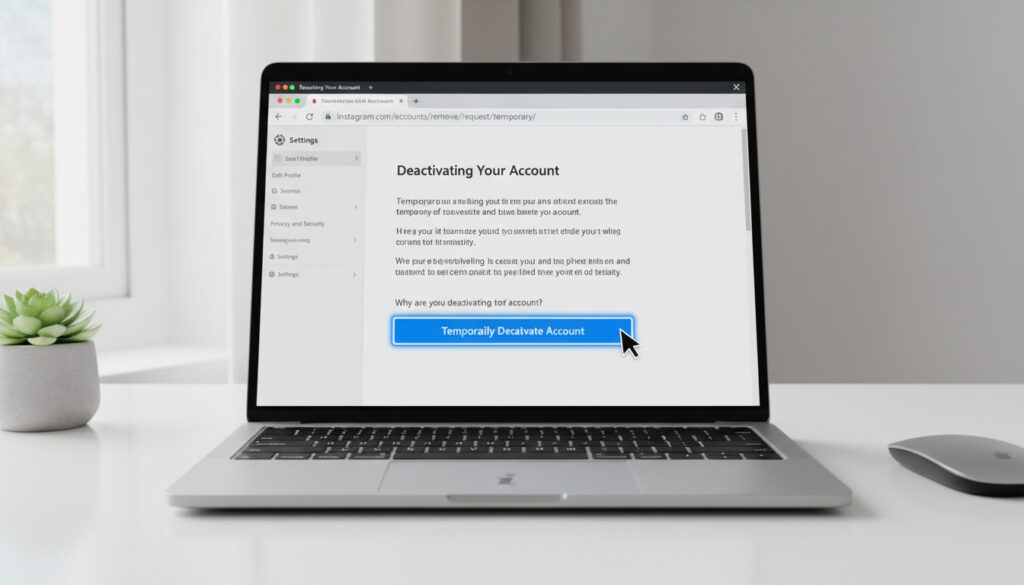
How to Deactivate Instagram – Step-by-Step Browser Guide
Instagram’s temporary deactivation feature offers users a way to step back from the platform without losing their digital footprint. Unlike permanent deletion, this option hides your profile while preserving all data, photos, and follower connections for future return. Whether seeking a mental health break, managing digital privacy, or simply reducing screen time, understanding the precise mechanics of deactivation ensures you maintain control over your online presence.
The process requires specific navigation through Meta’s Accounts Center, accessible only via web browser rather than the native mobile application. This distinction often confuses users attempting to deactivate directly from the Instagram app on iPhone or Android devices.
Both personal and business accounts follow identical deactivation protocols, with no specialized procedures required for professional profiles. The action remains fully reversible, allowing instantaneous restoration of full functionality at any future login attempt.
How to Deactivate Your Instagram Account
Browser-based workflow through Accounts Center requiring password verification
Five to ten minutes from login to confirmation
All photos, videos, and metadata preserved on Meta servers indefinitely
Instant restoration via standard login credentials
- Deactivation remains impossible through the mobile application; Safari or Chrome browsers required on all devices
- Accounts Center consolidates controls across Instagram, Facebook, and Threads under unified Meta infrastructure
- Password re-entry mandatory at final confirmation stage for security verification
- Business accounts maintain identical deactivation pathways as personal profiles without administrative complications
- Cross-platform consistency ensures identical procedures on iPhone, Android, or desktop operating systems
- Linked Threads accounts simultaneously deactivate when Instagram status changes
- No automated notifications transmit to followers during the deactivation process
| Feature | Deactivation | Permanent Deletion |
|---|---|---|
| Profile Visibility | Hidden from search and public view temporarily | Permanently removed after 30-day grace period |
| Photo and Video Storage | Fully preserved with instant restoration | Irreversibly destroyed unless downloaded beforehand |
| Follower Connections | Maintained internally, lists reappear on reactivation | Permanently severed |
| Direct Messages | Archived and accessible upon return | Deleted from all parties’ inboxes |
| Reactivation Method | Standard login restores full functionality | Impossible after 30-day reconsideration window |
| Duration Limit | No maximum timeframe specified | 30-day countdown begins immediately upon request |
Mobile Deactivation Steps
Open Safari on iPhone or Chrome on Android and navigate to instagram.com. Tap the profile icon at bottom right, then the three-line menu to access Settings. Navigate through Accounts Center, then Personal details, into Account ownership and control. Select Deactivation or deletion, choose your specific account, and tap Deactivate account. The interface requires a reason selection and password confirmation before finalizing the request.
Desktop Browser Procedure
Access instagram.com through any web browser and authenticate with standard credentials. Click the profile icon at top right, then Settings or Settings and privacy. Follow the identical Accounts Center pathway: Personal details, then Account ownership and control. Alternative navigation routes through the gear icon on profile pages also reach these controls. Select Temporarily deactivate account, provide the mandatory reason, and enter your password to complete the process.
What Happens When You Deactivate Instagram?
Photo and Data Preservation
Deactivation conceals your profile, photos, videos, comments, and likes from other users immediately upon confirmation. However, Meta retains all data on their servers indefinitely. Your followers and following lists remain intact within the system architecture, though external users cannot view these connections. Direct messages stay archived in recipient inboxes but display as sent from a deactivated account.
Meta’s infrastructure preserves all profile content including story archives, comment histories, and account settings regardless of deactivation duration. Users who return after years discover their accounts restored to the exact state maintained at deactivation.
Duration and Linked Services
No maximum timeframe restricts deactivation periods; accounts remain dormant indefinitely until manual reactivation. Linked Threads profiles automatically deactivate simultaneously with Instagram accounts, creating a unified pause across Meta’s text-based platform. During dormancy, you cannot post content, respond to comments, or appear in search results.
Deactivate vs Delete Instagram: Key Differences
Temporary deactivation functions as a reversible hide function, while deletion initiates a 30-day destruction sequence. Deletion permanently severs all follower relationships and erases content irretrievably after the grace period expires. Deactivation maintains the option to download your data archive at any future point, whereas deletion requires completing data downloads before the request submission.
Privacy implications differ significantly between the two states. Deactivation removes your public presence while retaining internal data structures, offering a pause without data loss. Deletion attempts complete digital erasure, though Meta acknowledges certain data categories may persist in backup systems for technical or legal compliance reasons.
How to Reactivate Your Instagram Account
Restoration requires simply logging into instagram.com or opening the mobile application with existing username and password combinations. Full profile functionality returns within seconds, including all photos, followers, and message histories. No additional confirmation steps or waiting periods delay reactivation.
Reactivating Instagram automatically restores any linked Threads account to active status simultaneously. No separate reactivation process exists for the text-based platform when accounts maintain Meta’s unified connection system.
Applications previously authorized through Instagram may require re-authentication after extended deactivation periods. Users relying on external analytics tools or scheduling platforms should verify API connections upon return.
Timeline of the Deactivation Cycle
- Browser authentication to instagram.com initiated on mobile or desktop device
- Navigation through Accounts Center hierarchy to Account ownership and control section
- Selection of Deactivation or deletion option from management menu
- Immediate concealment of profile from public search and follower feeds upon confirmation
- Continuous server-side preservation of all user data during indefinite dormancy period
- Reactivation trigger through any future login attempt across any device or platform
- Instantaneous restoration of full profile visibility and functionality
Established Facts and Information Gaps
Confirmed Information
- Data preservation verified across all Meta documentation
- Browser-only access requirements confirmed for iOS and Android
- No temporal restrictions on deactivation duration
- Business account equivalence established through technical testing
- Instant reactivation mechanics documented
Uncertain Areas
- Specific server locations for dormant account data remain unspecified
- Future policy changes regarding long-term inactive accounts not publicly disclosed
- Impacts on Instagram Shopping or monetization features during extended deactivation unclear
- Exact API behavior for third-party connected services varies by implementation
Why Users Choose Temporary Deactivation
Digital wellness practices drive many users toward periodic social media breaks, aligning with broader trends in personality-driven stress management and boundary setting. Privacy-conscious individuals utilize deactivation to reduce digital footprints without sacrificing years of curated content. Marketing professionals and content creators occasionally pause accounts to rebrand or resolve copyright disputes while retaining audience bases.
The rise of anxiety-related physiological research correlates heavy social media usage with elevated resting heart rates, prompting medical professionals to recommend periodic platform abstinence. Deactivation offers a middle path between constant engagement and permanent digital severance.
Source Verification and Documentation
“Your profile, photos, videos, comments, and likes will be hidden until you reactivate your account by logging back in.”
Meta Platforms Technical Documentation
“Business accounts follow the same steps as personal accounts, with no special differences noted in the deactivation workflow.”
Digital Privacy Research Analysis
Summary of Key Considerations
Temporary deactivation provides immediate privacy protection while preserving digital assets indefinitely, accessible exclusively through browser-based navigation rather than mobile applications. The process maintains complete reversibility through simple login actions, distinguishing it sharply from permanent deletion protocols. Users prioritizing data sovereignty should download archives before deactivation, while those seeking complete digital breaks may find the indefinite dormancy option preferable to account destruction.
Frequently Asked Questions
Can I deactivate Instagram directly from the mobile app?
No. The native iPhone and Android applications lack deactivation functionality. Users must access instagram.com through Safari, Chrome, or other mobile browsers to reach the Accounts Center controls.
Will my followers receive notifications when I deactivate?
Instagram generates no automated alerts to followers during deactivation. Your profile simply disappears from their feeds and search results without explanation.
What happens to my archived stories and highlights?
All archived content remains stored on Meta servers during deactivation. Story highlights, saved posts, and close friends lists restore completely upon reactivation.
Can business accounts use standard deactivation procedures?
Business accounts follow identical deactivation steps as personal accounts. Analytics data pauses collection during dormancy but resumes upon reactivation without data loss.
Should I download my data before deactivating?
While not mandatory, downloading data archives through Settings > Privacy and security > Data download provides local backups. Choose HTML or JSON formats and expect email delivery within 48 hours.
What if I forgot my password during deactivation attempts?
Reset passwords through the “Forgot password” link before initiating deactivation. The process requires current credential verification at the final confirmation stage.
How does deactivation differ from “Take a Break” features?
Deactivation completely hides your profile from all users. “Take a Break” limits specific interactions with individual accounts while maintaining public visibility.
More related posts
 National Living Wage 2025: UK & Ireland Rates Explained
 Dow Jones Index Live Today: DJIA Real-Time Price & News
 Michael Flatley Now: Health, Lawsuit & Life in 2025
 True Summer Color Palette: Guide to Colors, Jewelry & Hair
 Basketball Hoops in Ireland: Wall-Mounted & Portable
 Lynda Bellingham: Death, Will Controversy, and Life Story
 Hannah Spencer: Plumber Turned Green Party MP
 Jackie Chan Today: Current Life, Family, Politics & FAQs