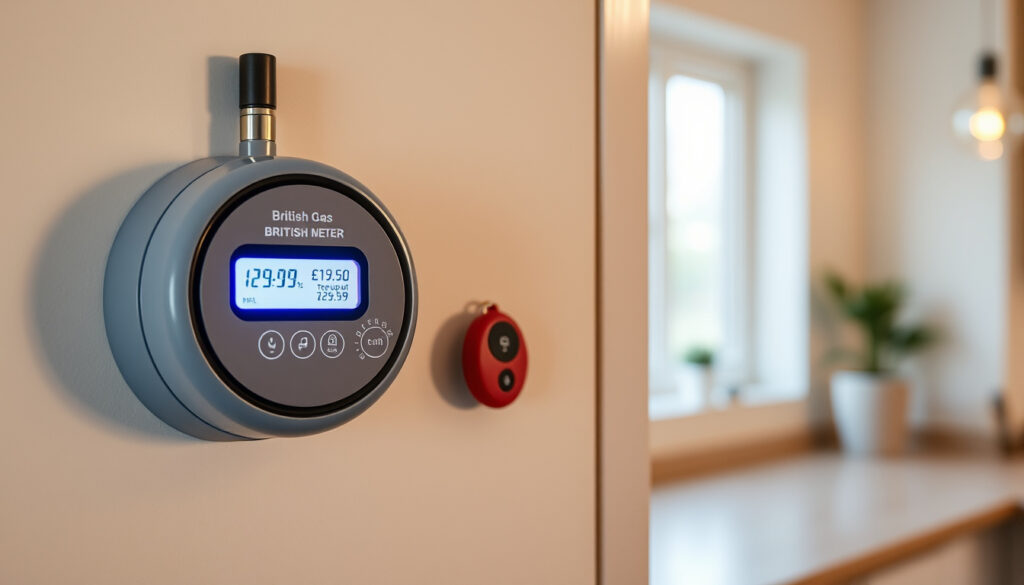
British Gas Smart Top Up: Prepayment Meter Guide & Methods
If your kitchen goes cold because you forgot to top up your prepayment meter, you are not alone. Smart prepayment meters from British Gas make it easier to stay on top of your energy credit, but only if you know where to look. This guide covers every working method for loading credit onto your British Gas smart meter, from logging in online to feeding a code into the meter keypad.
Top-up phone line: 0330 332 0976 · Smart card digits: 19 · Key stores: Post Office, Payzone, PayPoint · Real-time feature: Usage and balance view
Quick snapshot
- Online top-up via British Gas account (British Gas Official)
- Phone line 0330 332 0976 for automated top-up (British Gas Official)
- 19-digit smart card number for in-store top-ups (British Gas Official)
- App-specific screen flow without account login
- Whether top-ups are available 24/7 or have restricted hours
- Processing time for online or app-based top-ups
- Replacement smart card delivery: 3 working days (British Gas Official)
- Smart prepayment meter rollout: ongoing through 2020s (British Gas Official)
- Emergency Credit available when balance runs out (British Gas Official)
- You can reset your own meter after reloading credit (British Gas Official)
Four top-up channels are available through British Gas: online account, phone line, in-store at major retailers, and manual keypad entry.
The official British Gas channels provide documented options for all major top-up methods.
| Top-up method | Source |
|---|---|
| Official top-up page | British Gas Official |
| Guest top-up option | British Gas Official |
| PAYG help centre | British Gas Official |
| Store top-up guide | British Gas Official |
How do I top up my British Gas smart card?
British Gas supplies a 19-digit smart card with every smart prepayment meter. You can load credit onto that card through an online account, as a guest, or through the mobile app.
Online account method
- Log in to your account at britishgas.co.uk/my-account/topup
- Select your smart prepayment meter from the account dashboard
- Choose the amount to top up and confirm payment
- The credit arrives digitally — no card number needed once logged in
You do not need the physical smart card to top up online. British Gas links the credit directly to your meter account.
Guest top-up option
- Visit britishgas.co.uk/my-account/guest-smart-meter-top-up
- Enter your 19-digit smart card number
- Select the top-up amount and complete payment
- Receive a confirmation with your payment code
Guest top-up is handy when you are topping up someone else’s meter, such as a landlord topping up a rental property.
App top-up steps
- Download the British Gas app from the Apple App Store or Google Play Store
- Sign in with your British Gas account or create a new one
- Navigate to the top-up section and select your smart meter
- Choose the amount, confirm payment, and wait for the credit to load
Registered users get the fastest route: British Gas delivers credit straight to the meter without requiring the physical card. Guests need their 19-digit number ready.
What is a smart prepayment meter?
A smart prepayment meter looks like a standard pay-as-you-go meter but adds digital features that older coin-and-key meters lack.
Key features
- Real-time usage and balance view through a connected smart energy monitor
- Digital smart card that can be stored in mobile wallets
- Low balance notifications sent by British Gas
- Emergency Credit access when the balance runs out completely
Benefits for pay as you go
Smart meters let you track exactly how much gas and electricity you are using each day. British Gas sends alerts when your balance drops below a set threshold, so you can top up before the heating cuts out. The meter also keeps a full balance history accessible through your online account.
Difference from traditional prepay
Traditional prepayment meters require a physical key or card that you load at a Paypoint or Post Office outlet, then slot into the meter. Smart meters skip the physical handoff — credit loads remotely through the website, app, or phone. When you do need to enter a code manually, the process still works if the digital load fails.
British Gas customers with smart prepayment meters can quote their 19-digit smart card number at any Post Office or Payzone to top up while waiting for a replacement card, which British Gas sends within 3 working days.
How does Smart Top Up work with prepayment?
Smart Top Up is British Gas’s term for loading credit onto your smart prepayment meter through digital channels rather than inserting a physical token.
Automated phone line process
- Call 0330 332 0976
- Follow the voice prompts and have your 19-digit smart card number ready
- Select the top-up amount using the phone keypad
- Confirm payment with your card details
- The credit loads automatically to your meter account
This line is available for both gas and electricity prepayment accounts. You do not need an online account to use it.
In-store top-up
- Take your smart card or the 19-digit number to any Post Office, Payzone, or PayPoint outlet
- Request a smart prepayment top-up and pay the amount you want to add
- The credit loads immediately to your meter and appears in your balance history
In-store top-ups go straight to the meter — no manual code entry is needed. This is the most reliable method if your digital channels are slow.
Phone and app integration
When your top-up has not reached your meter yet, you can add it immediately by entering the payment code manually at the meter keypad. British Gas recommends calling their automated line or using the app for the fastest processing.
How do I manually add a top up to my smart meter?
Manual entry is the fallback when digital credit does not arrive automatically on your meter display.
Entering top-up code
- Locate your smart meter keypad (typically below the digital display)
- Press the blue A button to open the code entry screen
- Enter the 20-digit payment code using the number keys
- Press the red B button to confirm and process the transaction
Electricity top-up codes can only be entered into electricity meters, not gas meters. Gas codes are for gas meters only. Electricity meters have wires coming out of the bottom; gas meters have pipes coming out at the top.
Meter display steps
Once you press the blue A button, the meter display shows a cursor ready for your code. Work through each digit carefully — the screen will confirm the entry once complete. Press the red B button to submit. The display updates to show your new balance.
Troubleshooting entry
- If the code is rejected, check that you are entering it on the correct meter type
- If the display freezes, wait 30 seconds and retry
- British Gas advises that you can turn your meters back on yourself after reloading credit, even if supply was lost
- For repeated failures, call 0330 332 0976 or visit the British Gas help centre
British Gas customers can access Emergency Credit on smart prepayment meters when balance runs out, which gives enough gas or electricity to get through a temporary shortfall until you can reload.
Where to top up your pay as you go meter?
British Gas smart prepayment meters accept top-ups at hundreds of locations across the UK, plus the phone line and online channels already covered.
Store locations
- Post Office — use your smart card or quote the 19-digit number
- Payzone — present your smart card at any participating retailer
- PayPoint — for in-store top-ups via the Ecotricity app barcode
All three networks cover urban and rural areas. Use the store locator on each network’s website to find your nearest outlet. Top-ups at these locations load immediately to your meter.
Phone top-up
Call 0330 332 0976 and follow the automated prompts. This option works at any time and requires only your smart card number and a payment card. No internet connection or app needed.
Online and app alternatives
British Gas recommends the online account as the fastest method when you have login access. The mobile app adds the convenience of checking your balance on the go. Both generate a 20-digit payment code if the credit does not load to your meter automatically, which you then enter at the keypad using the blue A and red B buttons.
In-store top-ups are the most reliable because the credit hits your meter immediately. Online and phone methods are faster for repeat customers but depend on British Gas systems processing the payment within a specific window — if that window closes before the meter checks in, you will need to enter the code manually.
Steps to reload British Gas Smart Prepayment Account
Follow these steps in order for the smoothest reload experience with British Gas smart prepayment meters.
Step 1: Choose your reload method
Decide whether you will top up online, by phone, in-store, or manually. Each method has different requirements:
- Online or app: British Gas account recommended, guest option available
- Phone: 19-digit smart card number, payment card
- In-store: Smart card or 19-digit number, payment card
- Manual: 20-digit payment code, meter keypad access
Step 2: Initiate the top-up
Go to britishgas.co.uk/my-account/topup, call 0330 332 0976, or visit a Post Office, Payzone, or PayPoint outlet. If using the app, select your smart meter and choose the top-up amount.
Step 3: Confirm payment
British Gas processes the payment through your registered card. For phone and in-store, payment is taken immediately. Online and app transactions show a confirmation screen with a 20-digit payment code if needed.
Step 4: Wait for credit to load
In most cases, British Gas delivers credit to your meter automatically within minutes. If your balance does not update, proceed to manual entry.
Step 5: Enter code manually if needed
Press the blue A button on your meter keypad, type the 20-digit payment code, then press the red B button to confirm. Your new balance should display immediately.
Confirmed facts
- Online top-up via British Gas account at britishgas.co.uk/my-account/topup
- Phone line 0330 332 0976 for automated top-up
- 19-digit smart card number for in-store and guest top-ups
- In-store top-ups at Post Office, Payzone, and PayPoint load immediately
- Digital smart cards can be stored in mobile wallets
- Replacement smart cards ship within 3 working days
- Emergency Credit available when balance runs out
- Blue A button enters code, red B button processes on meter keypad
- Electricity and gas top-up codes are meter-specific
What’s unclear
- Whether phone and online top-ups operate 24/7 or have restricted hours
- Typical processing time for online or app-based top-ups when systems are busy
- Whether specific app features differ without account login
What British Gas says
When your top up has not reached your meter yet, you can add it immediately.
— British Gas help documentation (British Gas Official)
If you have lost supply after you ran out of credit, you can turn your meters back on yourself.
— British Gas help documentation (British Gas Official)
As long as you have your 19-digit Smart Card number, you can even quote it at any Post Office or Payzone to top up until your new card arrives.
— British Gas smart meters guide (British Gas Official)
For British Gas smart prepayment meter customers, the reload choice comes down to speed versus reliability. Online and app top-ups win on convenience for repeat users, but in-store visits at Post Office or Payzone remain the most bulletproof option when digital systems lag — and they load credit to your meter immediately with no manual keypad steps. Keep your 19-digit smart card number saved somewhere safe, because it is your key to every top-up channel, including guest online reloads and in-store credit purchases while waiting for a replacement card.
Related reading: highest interest savings accounts UK · Martin Lewis best fixed rate ISAs
britishgas.co.uk, youtube.com, youtube.com, youtube.com, britishgas.co.uk, britishgas.co.uk
Frequently asked questions
How to top up British Gas smart meter by phone?
Call 0330 332 0976, follow the voice prompts, and have your 19-digit smart card number ready. Select your top-up amount using the phone keypad, confirm payment, and the credit loads to your meter automatically.
How to top up British Gas smart meter online?
Log in to your British Gas account at britishgas.co.uk/my-account/topup, select your smart prepayment meter, choose the amount, and confirm payment. The credit arrives digitally without needing the physical card.
What is British Gas top up code?
British Gas generates a 20-digit payment code each time you top up digitally. If the credit does not appear on your meter automatically, you enter this code at the meter keypad using the blue A button to enter and the red B button to confirm.
Can I top up as guest British Gas?
Yes. Visit britishgas.co.uk/my-account/guest-smart-meter-top-up, enter your 19-digit smart card number, select the amount, and complete payment. British Gas sends a confirmation with your payment code.
How to reload British Gas smart prepaid account?
Reload through your British Gas online account, the mobile app, the automated phone line (0330 332 0976), or in-store at Post Office, Payzone, or PayPoint. If you have a payment code, enter it manually at the meter keypad.
How to put money on British Gas smart meter?
Choose your preferred method: online account, phone call, in-store visit, or app. Once payment is confirmed, British Gas delivers the credit to your meter. If it does not appear automatically, use the blue A button on your meter keypad to enter the 20-digit payment code, then press the red B button to process.
British Gas electricity top up online free?
Online top-ups through the British Gas website and app are free to initiate. You pay only for the energy credit you add to your meter. There are no transaction fees for using the British Gas online account or phone line.
More related posts
 Erin Moriarty: Health, Plastic Surgery Rumors & Career Breakdown
 Andy Bell: Oasis, Erasure & Ride Confusion
 Joe Wicks: Children, 5-5-5-30 Rule, and His Rise
 Brian Conley: From EastEnders to Back to the Future Musical
 Steph Curry Retirement, Family, and Net Worth in 2025
 Teyana Taylor: Biography, Health, Relationships, Net Worth
 Chris Tucker: Net Worth, Quit Reason and Comeback 2024
 Olsen Twins: What Happened to Mary-Kate and Ashley